Trade Tools

Plasterboard & Screws

Boards, screws, scrim, tape.

in testingplasterersiteandroid

Plasterboards, drywall screws, scrim or tape and joint compound for walls and ceilings, from the area, board size, framing centres and screw spacing.

How it works, a worked example and screenshots ↓

Pay once, no subscription, no ads.

Platform
Android
Version
1.0
Source
Private source · Studio product
Price
£3.99

Runs on your phone, no internet needed. When it is on Google Play, updates will come through Play next time you're online.

Want to know when it launches? Email forestforge.dev@gmail.com.
Plasterboard & Screws artwork
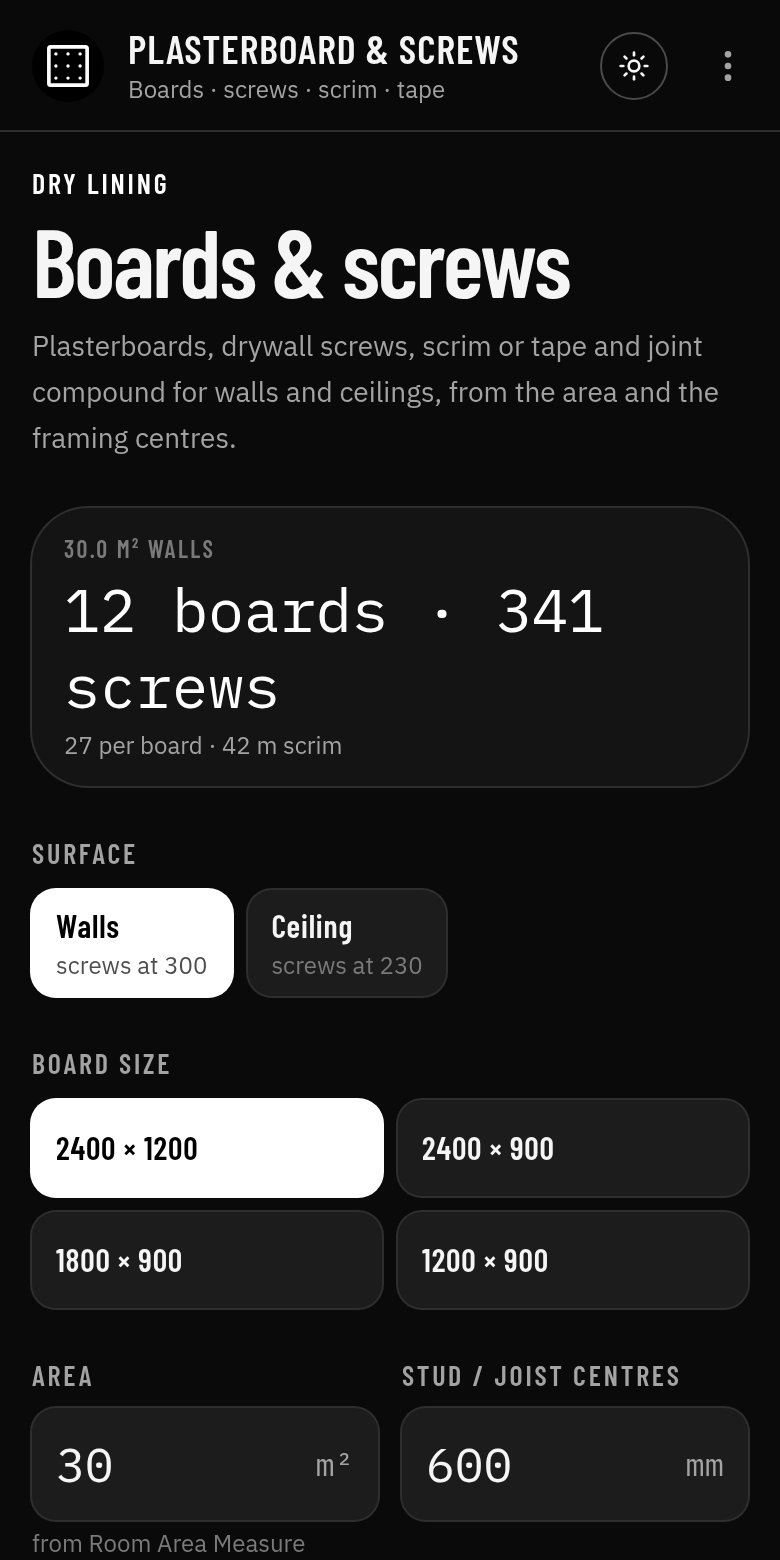
Plasterboard & Screws app screen
Screenshot from the Android app

What it does

Board & Screw Calculator works out the plasterboards, drywall screws, scrim or tape and joint compound for walls and ceilings from the area and the stud or joist centres, for one or two layers.

Who it's for

Plasterers, dryliners and builders boarding out extensions, lofts and partitions.

How to use it

  1. 1Choose walls (screws at 300) or ceiling (screws at 230).
  2. 2Pick the board size.
  3. 3Enter the area, stud or joist centres, screw spacing, waste and layers.
  4. 4Choose a skim finish (scrim) or tape and joint.
  5. 5Read boards, screws and scrim or tape.

Inputs and outputs

You enter

  • Walls or ceiling
  • Board size (2400 × 1200 and smaller)
  • Area (m²), stud or joist centres and screw spacing (mm)
  • Waste (%) and layers
  • Finish: skim or tape and joint

You get

  • Boards to buy
  • Screws, and screws per board
  • Scrim or tape length
  • Joint compound for tape and joint

Worked example

Boarding 30 m² of stud wall

Given

  • Walls, 2400 × 1200 boards, 30 m²
  • 600 mm centres, screws at 300 mm, 10 % waste, one layer, skim finish

Working

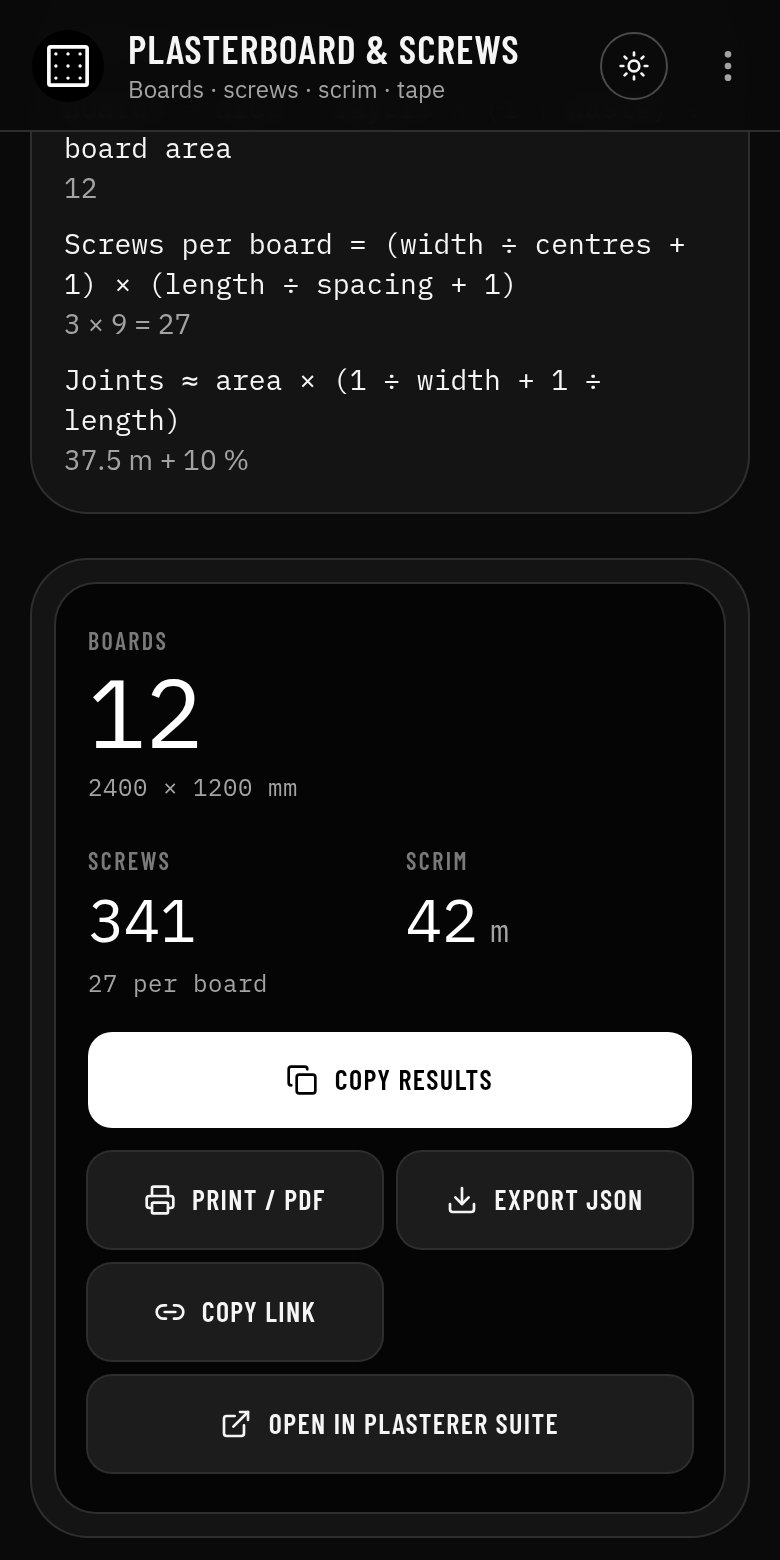
  1. Boards = 30 × 1.10 ÷ 2.88 = 12
  2. Screws per board = (1200 ÷ 600 + 1) × (2400 ÷ 300 + 1) = 3 × 9 = 27
  3. Joints ≈ 37.5 m + 10 % = 42 m of scrim

Result

12 boards, 341 screws (27 per board) and 42 m of scrim.

An example only: your job will differ, so check the figures against the working in the app.
Features

  • Boards, screws and scrim or tape
  • Walls and ceilings, one or two layers
  • Screws per board from your centres
  • Feeds straight from Room Area Measure
  • Formulas and working shown, with a clear guide-only note
  • Copy, print to PDF, export JSON or open the result in the Plasterer Suite
  • Works offline, no account, no ads

Screenshots

The tool with its starting values
Formulas, working and the results panel

Guide only

A guide only: check against the regulations and the board manufacturer's data. The app shows its formulas and working so you can check every figure. It is not a substitute for your own judgement, training or the published standards.

More plasterer tools

All plasterer tools