Trade Tools

Decking Calculator

Boards, joists, screws, posts.

in testingcarpentersiteandroid

Quantities for a rectangular deck: board rows and lengths, joists at 400 mm centres with extra joists at board joints, deck screws, rim boards and posts for a raised deck, with waste.

How it works, a worked example and screenshots ↓

Pay once, no subscription, no ads.

Platform
Android
Version
1.0
Source
Private source · Studio product
Price
£3.99

Runs on your phone, no internet needed. When it is on Google Play, updates will come through Play next time you're online.

Want to know when it launches? Email forestforge.dev@gmail.com.
Decking Calculator artwork
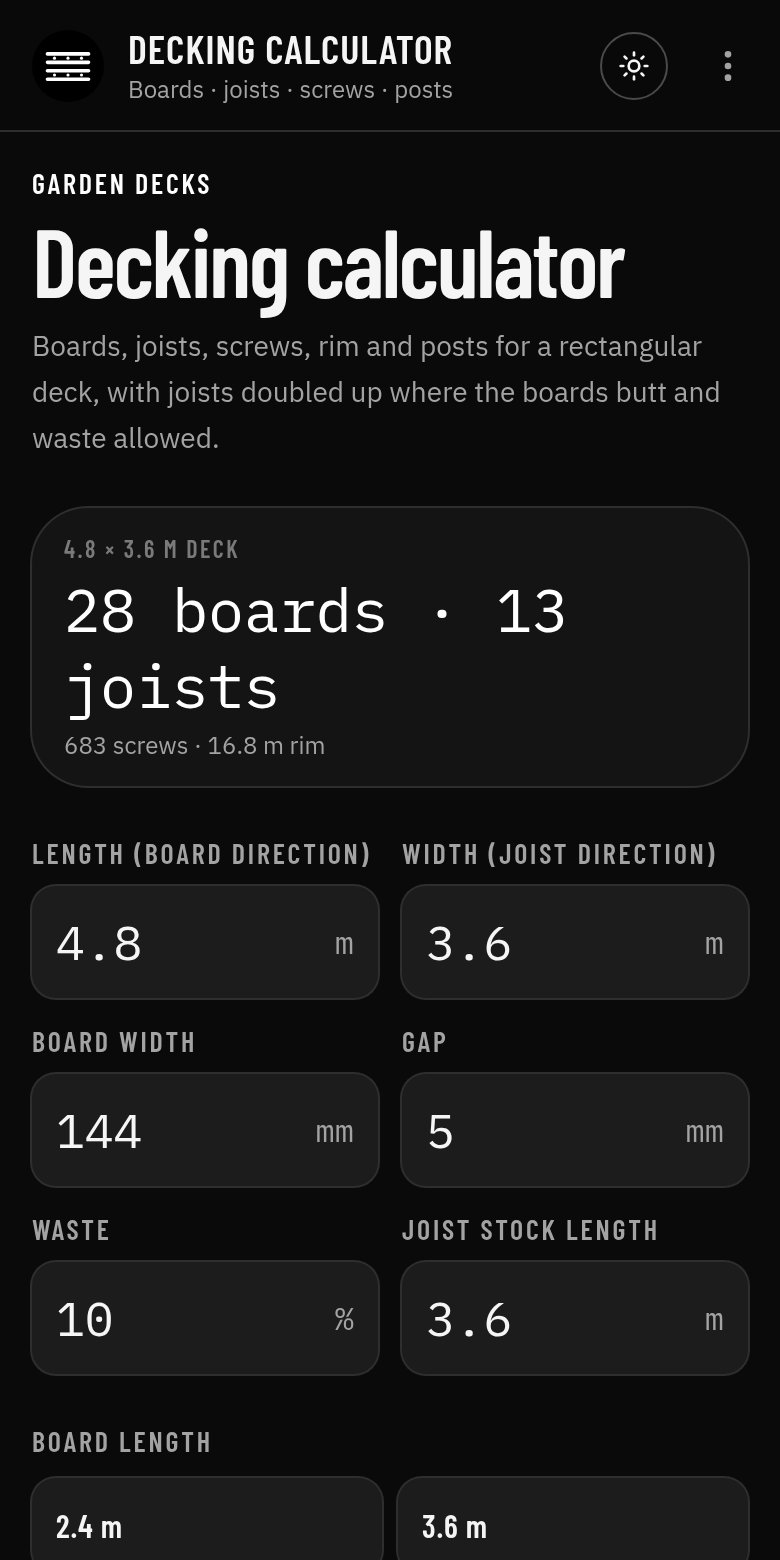
Decking Calculator app screen
Screenshot from the Android app

What it does

Decking Calculator works out the boards, joists, screws, rim and posts for a rectangular deck, with joists doubled where the boards butt and waste allowed, for a ground-level or raised deck.

Who it's for

Carpenters, landscapers and builders quoting and ordering for decks.

How to use it

  1. 1Enter the deck length (board direction) and width (joist direction).
  2. 2Enter the board width, gap and waste, and pick the board and joist stock lengths.
  3. 3Choose the joist centres and ground-level or raised.
  4. 4Read boards, joists, screws, rim and posts to order.

Inputs and outputs

You enter

  • Deck length and width (m)
  • Board width and gap (mm), waste (%)
  • Board length and joist stock length
  • Joist centres
  • Ground level or raised

You get

  • Boards to order and the number of rows
  • Joists, including doubles at butt joints
  • Screws
  • Rim or fascia length
  • Posts for a raised deck

Worked example

A 4.8 × 3.6 m deck at ground level

Given

  • Boards 144 mm with a 5 mm gap, 10 % waste, 4.8 m boards
  • Joists 3.6 m stock at 400 centres

Working

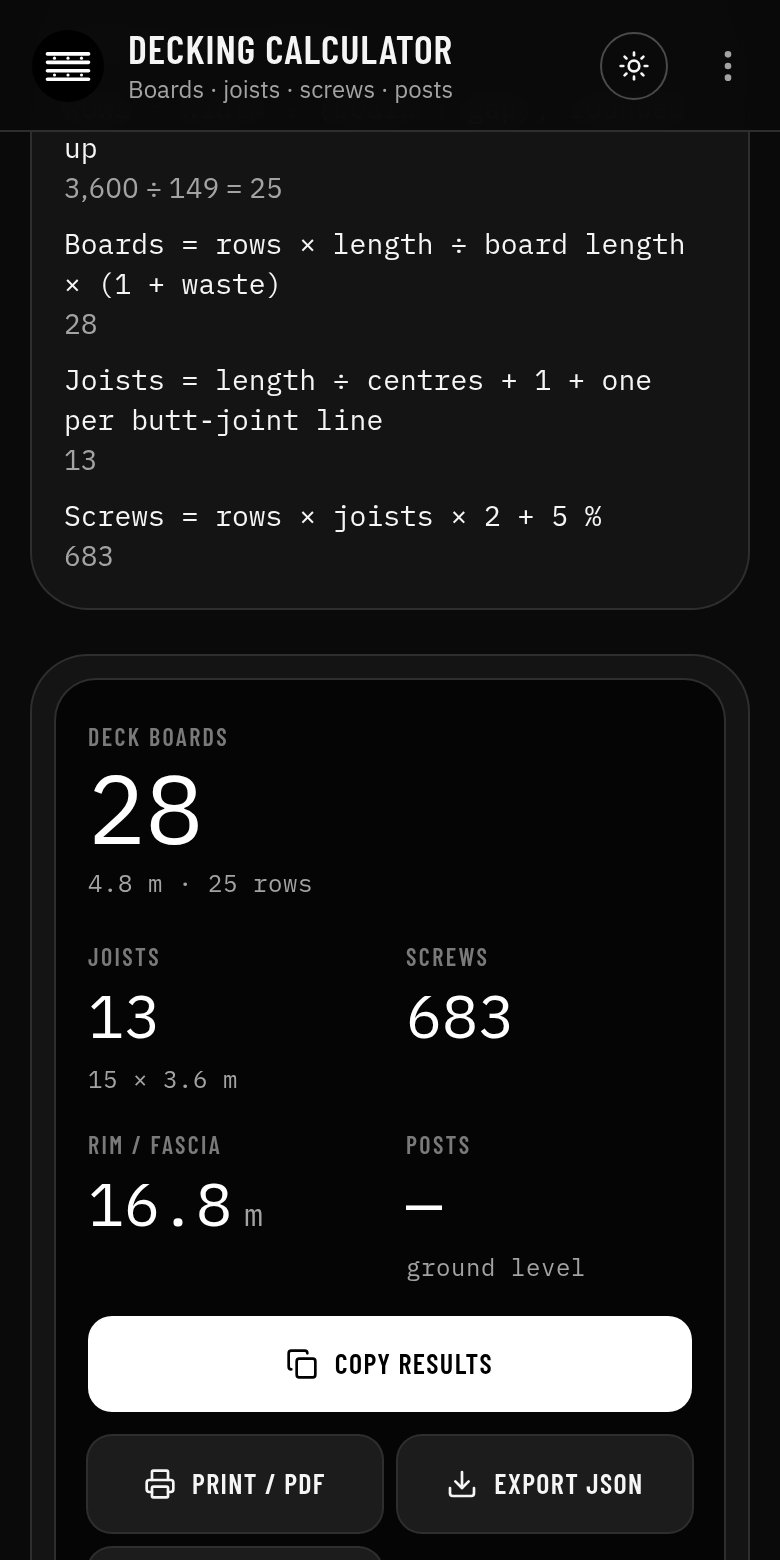
  1. Rows = 3,600 ÷ 149 = 25
  2. Boards = 25 rows × 4.8 ÷ 4.8 × 1.10 = 28
  3. Joists = 4,800 ÷ 400 + 1 = 13
  4. Screws = 25 × 13 × 2 + 5 % = 683

Result

28 boards, 13 joists, 683 screws and 16.8 m of rim.

An example only: your job will differ, so check the figures against the working in the app.
Features

  • Boards, joists, screws, rim and posts
  • Doubled joists where boards butt
  • Ground-level or raised decks
  • Waste allowed and shown
  • Formulas and working shown, with a clear guide-only note
  • Copy, print to PDF, export JSON or open the result in the Carpenter Suite
  • Works offline, no account, no ads

Screenshots

The tool with its starting values
Formulas, working and the results panel

Guide only

Quantities only. A guide only: check against the regulations and the decking manufacturer's data. The app shows its formulas and working so you can check every figure. It is not a substitute for your own judgement, training or the published standards.

More carpenter tools

All carpenter tools