Trade Tools

Test Results Logger

Circuit tests, checks, schedule PDF.

in testingelectriciansiteandroid

Record continuity, ring, insulation resistance, polarity, Zs and RCD readings circuit by circuit on site. Each reading is checked as you type, and the board prints as a tidy schedule of test results PDF or CSV.

How it works, a worked example and screenshots ↓

Pay once, no subscription, no ads.

Platform
Android
Version
1.0
Source
Private source · Studio product
Price
£3.99

Runs on your phone, no internet needed. When it is on Google Play, updates will come through Play next time you're online.

Want to know when it launches? Email forestforge.dev@gmail.com.
Test Results Logger artwork
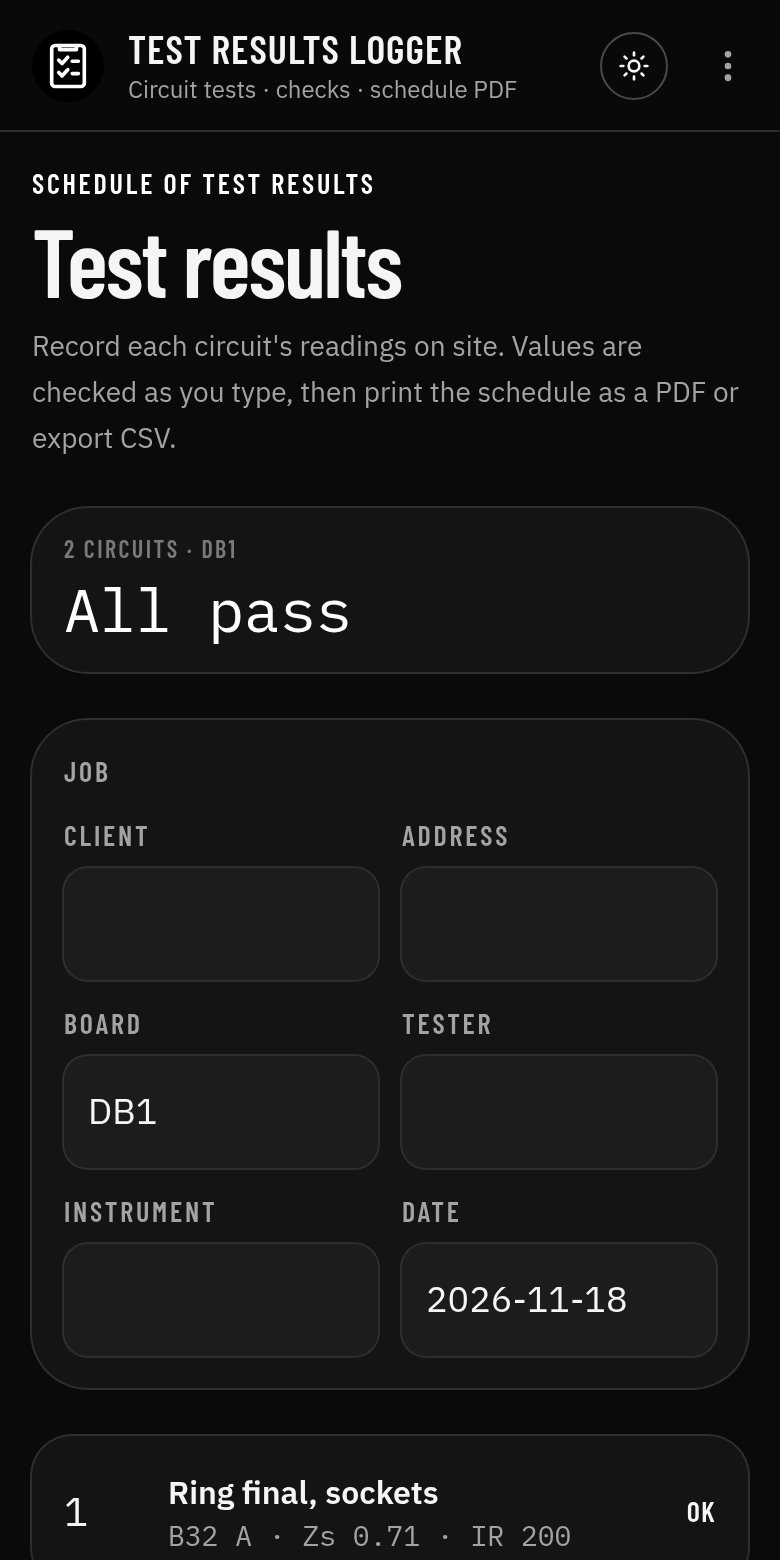
Test Results Logger app screen
Screenshot from the Android app

What it does

Test Results Logger records continuity, ring, insulation resistance, polarity, Zs and RCD readings circuit by circuit while you test. Each reading is checked as you type against the usual limits, and the board prints as a tidy schedule of test results PDF or exports as CSV to copy onto your certificate.

Who it's for

Electricians testing a new installation, inspectors carrying out an EICR, and anyone who wants their readings in one place before they write the certificate.

How to use it

  1. 1Fill in the job: client, address, board, tester and instrument.
  2. 2Add a circuit and enter its description, device, cable and readings.
  3. 3Watch each value turn OK or flag as you type.
  4. 4Print the schedule of test results PDF or export CSV, and save the job to the Electrician Suite.

Inputs and outputs

You enter

  • Job details: client, address, board reference, tester, instrument, date
  • Per circuit: description, device type and rating, cable sizes
  • Readings: R1+R2 or R2, ring end-to-end r1, rn, r2, insulation resistance, polarity, Zs, RCD trip time

You get

  • A pass or check flag for every reading
  • Board summary: circuits and how many pass
  • Schedule of test results PDF
  • CSV of every reading

Worked example

A small board, two circuits

Given

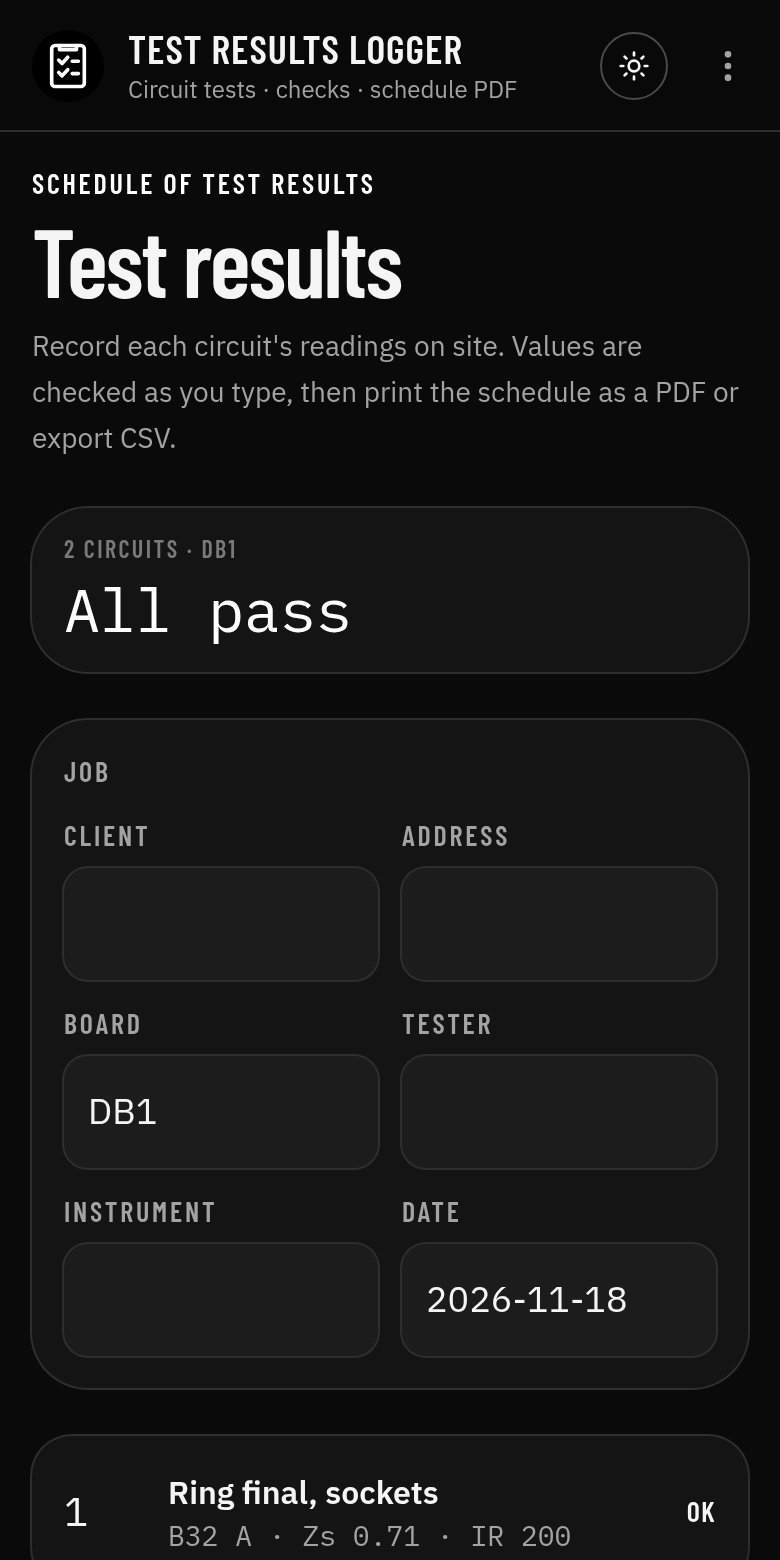
  • DB1: ring final, sockets, B32 A, Zs 0.71 Ω, IR 200 MΩ
  • Lighting, B6 A, Zs 1.25 Ω, IR 200 MΩ

Working

  1. Ring: max Zs for B32 = 1.37 Ω, 80 % = 1.09 Ω; 0.71 Ω passes
  2. Lighting: max Zs for B6 = 7.28 Ω, 80 % = 5.82 Ω; 1.25 Ω passes
  3. IR 200 MΩ against a 1 MΩ minimum (Table 64)

Result

2 circuits, all pass, ready to print as a schedule.

An example only: your job will differ, so check the figures against the working in the app.
Features

  • Log circuit test results on site, board by board
  • Readings checked against max Zs, IR minimums and RCD times
  • Schedule of test results PDF and CSV export
  • A site record to copy onto your EIC or EICR, not a certificate
  • Formulas and working shown, with a clear guide-only note
  • Copy, print to PDF, export JSON or open the result in the Electrician Suite
  • Works offline, no account, no ads

Screenshots

The tool with its starting values
Formulas, working and the results panel

Guide only

A site record to copy onto your EIC or EICR, not a certificate. A guide only: check against BS 7671, GN3 and the manufacturer's data. The app shows its formulas and working so you can check every figure. It is not a substitute for your own judgement, training or the published standards.

More electrician tools

All electrician tools